
Disclosure: As an Amazon Associate, Bookish Wisdom earns from qualifying purchases. This doesn't change our picks or your price.
Quick answer: There is no single Hoopla limit. Each library that offers Hoopla sets its own monthly borrowing limit, which is often somewhere between a few titles and about ten per month. You can see your library's limit in the Hoopla app or website after you sign in. Hoopla Instant titles are available right away, while Hoopla Flex titles may require a hold.
Table of Contents
Key Facts
| Item | Detail |
|---|---|
| Who sets the limit | Your local library |
| Typical range | A few titles up to about ten per month |
| Where to check | The Hoopla app or website after signing in |
| Waiting lists | None for Instant titles, possible holds for Flex titles |
| Cost | Free with a participating library card |
How Hoopla Borrowing Works
1. Sign up with your library card
Download the Hoopla app or visit the website, choose your library and enter your card number and PIN. Not every library offers Hoopla, so check your library's site first.
2. Check your monthly limit
Your remaining borrows appear in your account. The count resets at the start of each month.
3. Borrow Instant titles
Most titles can be borrowed immediately with no waiting list, which is Hoopla's biggest advantage over many other apps.
4. Understand Flex titles
Flex titles work like traditional library loans, with one copy per user, so you may need to place a hold.
5. Know the loan periods
Loan lengths vary by format, from a few days for movies to around three weeks for books and audiobooks, and items return automatically.
6. Download for offline use
You can download books and audiobooks to read or listen without internet.
Things That Confuse New Users
- Returning early to get a borrow back. Returning a title early does not usually restore your monthly borrow.
- Assuming every library uses Hoopla. Some libraries offer only Libby or other services.
- Forgetting the reset date. Limits reset monthly, not on the day you borrowed.
- Using up borrows on samples. Check reviews before borrowing to make each borrow count.
- Ignoring other formats. Hoopla also offers comics, music, movies and TV.
Making Reading Part of Everyday Life
Small habits make the biggest difference. Keep a book where you naturally spend idle minutes, such as by the bed, in a bag or on your phone through a library app. Set a gentle goal, like ten pages a day, rather than a large number that feels like pressure. Mix formats, since audiobooks count too and can fit into commutes and chores. Let yourself stop reading books you do not enjoy, because forcing your way through them is one of the fastest ways to lose the habit. And talk about what you read with friends or a book club, since sharing a story is one of the best reasons to finish it.
If you want to read more, track what you finish in a notebook or app. Seeing a growing list is motivating, and it helps you notice what you enjoy most, so you can choose better books next time.
Finally, be patient with yourself. Reading habits grow slowly, and a few pages most days will add up to many books over a year.
It also helps to keep a list of books you want to read next. When you finish one book, you will already know what to pick up, which keeps the habit going without a gap.
Above all, choose books that match your mood and interests. Reading should feel like a reward, not a test, and the right book at the right time makes the habit easy.
Helpful Books and Resources
-
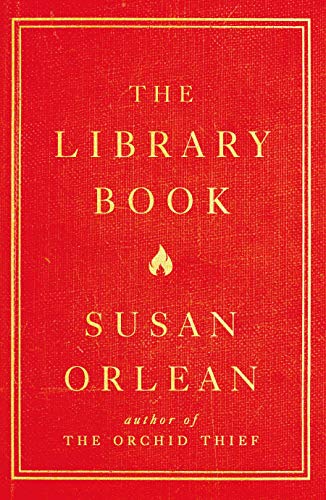
The Library Book by Susan Orlean
-
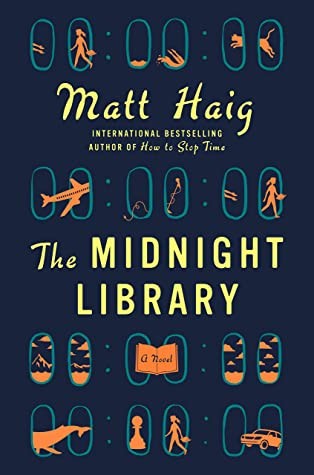
The Midnight Library by Matt Haig
-
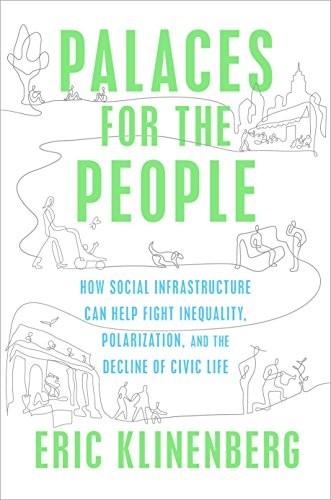
Palaces for the People by Eric Klinenberg
Related: The Midnight Library by Matt Haig: Summary and Key Takeaways · Libby vs Hoopla: Which Free Library App Is Better?
Frequently Asked Questions
How many books can I borrow on Hoopla?
It depends on your library's monthly limit.
Does Hoopla have a waiting list?
Instant titles have no waiting list, but Flex titles can.
When does my Hoopla limit reset?
At the start of each month.
Is Hoopla free?
Yes, with a card from a participating library.
Can I return Hoopla books early?
Yes, though it usually does not give back the borrow.
Can I use Hoopla on a Kindle?
Hoopla works on Fire tablets and phones, but not on basic Kindle e-readers.
What is the difference between Hoopla and Libby?
Libby uses holds and copies, while Hoopla Instant has immediate borrowing with monthly limits.
What else can I borrow on Hoopla?
Comics, movies, TV shows and music, depending on your library.
Can I use Hoopla and Libby together?
Yes. Many readers use both, borrowing new releases on Libby and grabbing instant titles on Hoopla while they wait.
How long can I keep a Hoopla audiobook?
Loan periods vary by format, and audiobooks are usually around three weeks before they return automatically.