
Disclosure: As an Amazon Associate, Bookish Wisdom earns from qualifying purchases. This doesn't change our picks or your price.
Quick answer: To read Kindle books on Windows 11, download Amazon's free Kindle for PC app from Amazon's website, sign in with your Amazon account, and your purchased and borrowed Kindle books will appear in your library to download and read. You can also read many Kindle books in a web browser through Kindle Cloud Reader at read.amazon.com without installing anything.
Table of Contents
Key Facts
| Item | Detail |
|---|---|
| Main option | Kindle for PC app |
| Browser option | Kindle Cloud Reader |
| Cost | Free |
| Account needed | Amazon account |
| Syncing | Notes, highlights and last page sync across devices |
How to Read Kindle Books on Windows 11
1. Download the app
Go to Amazon's Kindle apps page and download Kindle for PC. Run the installer and follow the prompts.
2. Sign in
Open the app and sign in with the Amazon account you use to buy or borrow Kindle books.
3. Download your books
Your library appears in the app. Double-click a cover to download and open it.
4. Adjust reading settings
Change font size, page color, line spacing and layout to make reading comfortable on a large screen.
5. Use notes and highlights
Highlights and notes sync to your other Kindle devices and apps.
6. Try the browser option
Visit read.amazon.com in Edge, Chrome or Firefox to read without installing the app.
Common Problems and How to Avoid Them
- Using the wrong account. Sign in with the account that owns the books.
- Expecting every book in the browser. Some titles only work in the app.
- Forgetting to sync. Turn on sync to keep your place across devices.
- Running an old version. Update the app if books fail to open.
- Mixing up Kindle Unlimited and purchases. Borrowed titles appear in your library while your subscription is active.
Making Reading Part of Everyday Life
Small habits make the biggest difference. Keep a book where you naturally spend idle minutes, such as by the bed, in a bag or on your phone through a library app. Set a gentle goal, like ten pages a day, rather than a large number that feels like pressure. Mix formats, since audiobooks count too and can fit into commutes and chores. Let yourself stop reading books you do not enjoy, because forcing your way through them is one of the fastest ways to lose the habit. And talk about what you read with friends or a book club, since sharing a story is one of the best reasons to finish it.
If you want to read more, track what you finish in a notebook or app. Seeing a growing list is motivating, and it helps you notice what you enjoy most, so you can choose better books next time.
Finally, be patient with yourself. Reading habits grow slowly, and a few pages most days will add up to many books over a year.
It also helps to keep a list of books you want to read next. When you finish one book, you will already know what to pick up, which keeps the habit going without a gap.
Above all, choose books that match your mood and interests. Reading should feel like a reward, not a test, and the right book at the right time makes the habit easy.
Libraries are the best free resource for any reader. Librarians can suggest books, help you find formats that suit you and introduce you to digital lending apps.
Helpful Books and Resources
-
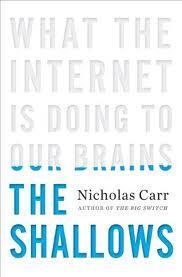
The Shallows by Nicholas Carr
-
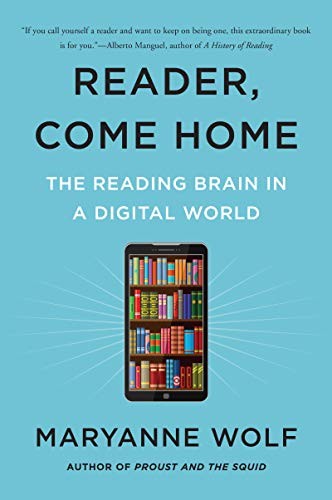
Reader, Come Home by Maryanne Wolf
-
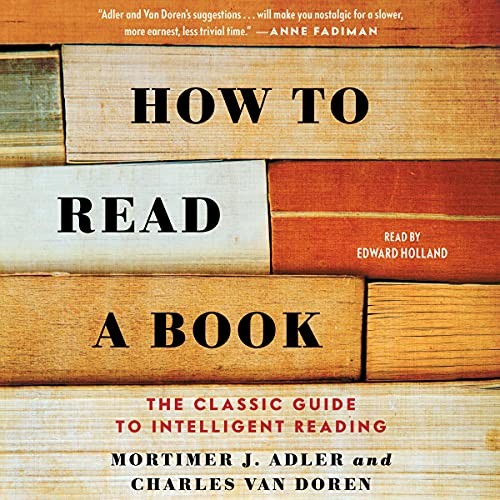
How to Read a Book by Mortimer J. Adler and Charles Van Doren
Related: Kindle Paperwhite vs Kindle Colorsoft · Is Reading on a Kindle Bad for Your Eyes?
Frequently Asked Questions
Can I read Kindle books on Windows 11?
Yes, with the Kindle for PC app or in a browser.
Is the Kindle for PC app free?
Yes.
Can I read Kindle Unlimited books on a PC?
Yes, while your subscription is active.
Do my notes sync?
Yes, across devices using the same account.
Can I read Kindle books offline?
Yes, after downloading them in the app.
What is Kindle Cloud Reader?
Amazon's browser-based Kindle reader.
Can I read library books from Libby on a PC?
Libby can send some loans to Kindle, which then appear in the app.
Why won't my book open?
Update the app or sign out and back in.
Can I read Kindle books on a Windows tablet?
Yes. The same Kindle for PC app works on Windows tablets and touchscreen laptops.
Can I print Kindle books?
No. Kindle books are protected and cannot be printed.