
Disclosure: As an Amazon Associate, Bookish Wisdom earns from qualifying purchases. This doesn't change our picks or your price.
Quick answer: To write a book for Kindle, draft and edit your manuscript, format it as an e-book, design an eye-catching cover and upload it to Amazon's Kindle Direct Publishing (KDP), which is free to use. You set your price and choose a royalty option, usually 35 percent or 70 percent, with the higher rate available for many e-books priced between $2.99 and $9.99. You can also enroll in KDP Select to include your book in Kindle Unlimited for 90-day periods of exclusivity.
Table of Contents
Key Facts
| Item | Detail |
|---|---|
| Platform | Kindle Direct Publishing |
| Cost to publish | Free |
| Royalties | 35% or 70% options |
| 70% price range | Often $2.99 to $9.99 |
| KDP Select | 90-day exclusivity, Kindle Unlimited |
How to Publish a Book on Kindle
1. Write and edit
Finish your manuscript and revise it thoroughly, ideally with an editor.
2. Format the e-book
Use tools such as Kindle Create or other formatting software.
3. Design a cover
A professional cover helps readers trust your book.
4. Write the description
A clear, compelling blurb helps sales.
5. Upload to KDP
Create an account, upload files, set price and royalties.
6. Market your book
Use email lists, social media and ads.
Kindle Publishing Mistakes
- Skipping editing. Errors hurt reviews.
- Weak cover. Invest in design.
- Wrong categories. Choose relevant ones.
- Pricing poorly. Research similar books.
- Ignoring keywords. Use searchable terms.
Building a Writing Habit That Lasts
Most books are finished by people who write regularly, not by people who wait for inspiration. Pick a time you can protect, even if it is only twenty minutes, and treat it like an appointment. Keep a running document of ideas so you never start from a blank page. Set a small, measurable goal, such as three hundred words a session, and track it. When you get stuck, skip ahead to a scene or section you are excited about and come back later. Finally, separate drafting from editing: write the rough version first, and fix it afterward, because trying to do both at once slows most writers down.
It also helps to know who the book is for. Write a one-sentence description of your reader and keep it beside your desk. Every time you are unsure about a scene, a word or a chapter, ask whether it serves that reader. This simple check keeps a draft focused and makes later editing much easier.
Finally, ask for feedback early. A trusted reader, writing group or teacher can spot problems you are too close to see, and fixing them in an early draft is much easier than in a finished one.
Keep every draft. Saving old versions lets you experiment freely, because you can always go back if a change does not work.
Most importantly, enjoy the process. Writing a book is a long project, and the writers who finish are usually the ones who find something to love in the daily work.
Reading widely in the form you are writing is one of the best teachers. Notice how other writers open, structure and end their work, and borrow techniques that suit your own voice.
Set a realistic deadline for each stage, such as finishing the draft, completing revisions and getting feedback. Deadlines turn a large, vague goal into a series of manageable steps, and they make it easier to notice when you need to adjust your plan.
Finally, protect your work. Back up every draft in at least two places, such as a cloud folder and an external drive, and keep a simple log of what you changed in each version. If anything goes wrong, you will lose a few minutes rather than months of writing.
Helpful Books and Resources
-
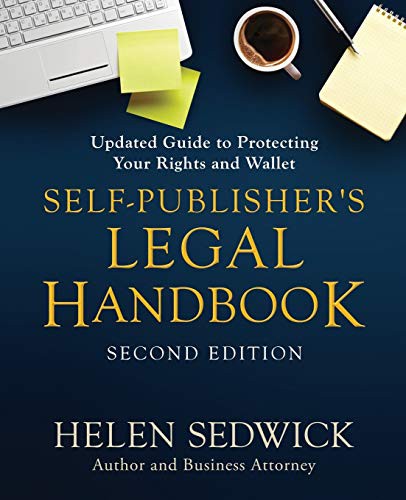
Self-Publisher's Legal Handbook by Helen Sedwick
-
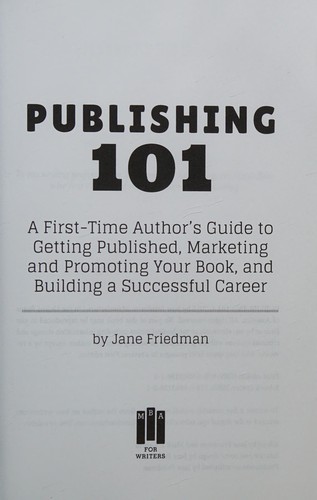
Publishing 101 by Jane Friedman
-
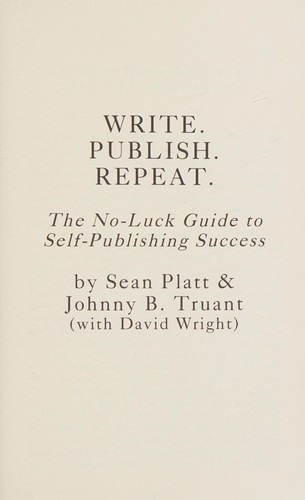
Write. Publish. Repeat. by Sean Platt
Related: How to Write a Book Review · How To Write A Book in 7 Days | The Ultimate Guide
Frequently Asked Questions
Is it free to publish on Kindle?
Yes, KDP is free to use.
How much do Kindle authors earn?
Royalties of 35 or 70 percent per sale.
What is KDP?
Kindle Direct Publishing.
What is KDP Select?
An optional program with 90-day exclusivity.
What is Kindle Unlimited?
A subscription where readers borrow books.
How are KU authors paid?
By pages read.
What file formats does KDP accept?
Common formats include DOCX and EPUB.
Do I need an ISBN?
Not for Kindle e-books.
Can I publish paperbacks too?
Yes, KDP offers paperbacks and hardcovers.
How long does publishing take?
Usually up to three days.
Do I need a cover designer?
A professional cover is recommended.
Can I change my book after publishing?
Yes, you can upload new versions.
What is a good price?
Many e-books sell between $2.99 and $9.99.
Do I need an editor?
It is strongly recommended.
Can I publish under a pen name?
Yes.
How do I get reviews?
Reach out to readers and use advance copies.
What is Kindle Create?
Amazon's free formatting tool.
Can I publish children's books on Kindle?
Yes, with tools for illustrated books.