
Disclosure: As an Amazon Associate, Bookish Wisdom earns from qualifying purchases. This doesn't change our picks or your price.
Quick answer: The best program to write a book depends on your needs. Microsoft Word is the standard for submitting manuscripts, Google Docs is free and great for collaboration, Scrivener is popular for organizing long, complex projects, and tools like Atticus and Vellum help format books for self-publishing. Many authors draft in one program and format in another.
Table of Contents
Key Facts
| Item | Detail |
|---|---|
| Industry standard | Microsoft Word |
| Free option | Google Docs |
| Best for organizing big projects | Scrivener |
| Formatting for self-publishing | Atticus and Vellum |
| Distraction-free writing | Apps with full-screen modes |
Popular Book-Writing Programs Compared
1. Microsoft Word
Agents and publishers usually expect Word files, and its track changes feature is standard for editing. It is reliable and familiar.
2. Google Docs
Free, cloud-based and easy to share with beta readers and editors. It works on any device and saves automatically.
3. Scrivener
Designed for writers, it lets you split a book into scenes, rearrange them, keep research in one place and compile the result into a manuscript.
4. Atticus
A writing and formatting tool that works on Windows, Mac and Chromebooks, used to create print and e-book files for self-publishing.
5. Vellum
A Mac-only formatting program known for beautiful book layouts.
6. Distraction-free apps
Simple full-screen editors help some writers focus on drafting.
Mistakes When Choosing Writing Software
- Spending more time on tools than writing. Pick one and start.
- Not backing up. Save copies in more than one place.
- Formatting too early. Focus on writing first.
- Ignoring submission requirements. Agents usually want Word documents.
- Buying expensive software too soon. Free tools work well for first drafts.
Building a Writing Habit That Lasts
Most books are finished by people who write regularly, not by people who wait for inspiration. Pick a time you can protect, even if it is only twenty minutes, and treat it like an appointment. Keep a running document of ideas so you never start from a blank page. Set a small, measurable goal, such as three hundred words a session, and track it. When you get stuck, skip ahead to a scene or section you are excited about and come back later. Finally, separate drafting from editing: write the rough version first, and fix it afterward, because trying to do both at once slows most writers down.
It also helps to know who the book is for. Write a one-sentence description of your reader and keep it beside your desk. Every time you are unsure about a scene, a word or a chapter, ask whether it serves that reader. This simple check keeps a draft focused and makes later editing much easier.
Finally, ask for feedback early. A trusted reader, writing group or teacher can spot problems you are too close to see, and fixing them in an early draft is much easier than in a finished one.
Keep every draft. Saving old versions lets you experiment freely, because you can always go back if a change does not work.
Most importantly, enjoy the process. Writing a book is a long project, and the writers who finish are usually the ones who find something to love in the daily work.
Reading widely in the form you are writing is one of the best teachers. Notice how other writers open, structure and end their work, and borrow techniques that suit your own voice.
Helpful Books and Resources
-
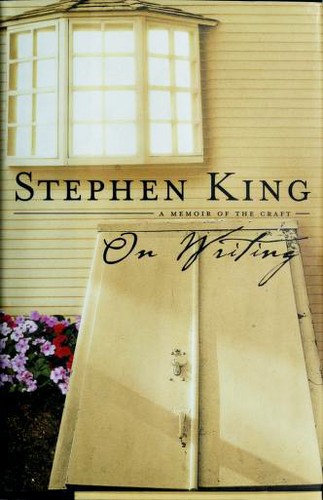
On Writing by Stephen King
-
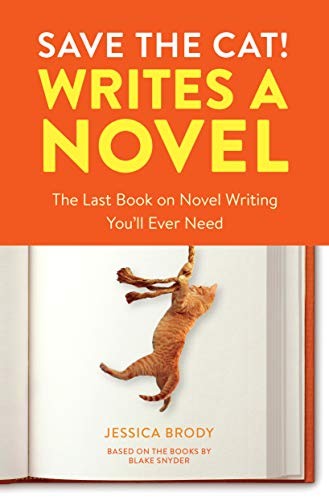
Save the Cat! Writes a Novel by Jessica Brody
-
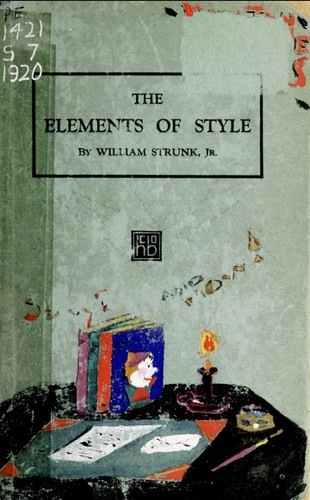
The Elements of Style by William Strunk Jr. and E. B. White
Related: On Writing by Stephen King: Summary and Key Takeaways · Books About Nasa Space Program: Our 15 Favorites
Frequently Asked Questions
What is the best free program to write a book?
Google Docs.
Do publishers prefer Word?
Yes. Word files are the standard.
Is Scrivener worth it?
It helps writers with long, complex projects.
What is Vellum?
A Mac program for formatting books.
Can I write a book on a Chromebook?
Yes, with Google Docs or Atticus.
What software do professional authors use?
Many use Word or Scrivener.
How do I back up my manuscript?
Use cloud storage and an external copy.
Can I write a book on my phone?
Yes. Many apps sync with desktop programs.
What about AI writing tools?
Some writers use them for brainstorming, but publishers and readers value original work, so check each publisher's policies.
Is there software for screenwriting too?
Yes. Final Draft and free tools like WriterSolo are designed for scripts.
Can I switch programs midway?
Yes. Most programs can import and export Word files.
Does Scrivener work on Windows?
Yes, on Windows and Mac.